

- Manual — users start the workflow from a matching record in the interface (List View, Summary/Details, or a Workspace). This is the default. See Executing workflows.
- Webhook — external systems start the workflow via an authenticated HTTP POST. Disabled by default.
The webhook trigger
When enabled, the webhook lets any external system, an ETL job, a partner service, a CRON in your own infrastructure, start a workflow run on a specific record by calling a stable URL. Two things are separated by design:- The URL identifies everything fixed about the trigger: which workflow runs, and against which rendering. The only per-call input is the target record.
- The token carries authentication and the identity the run acts as. The run reads and writes data as the token’s user, and the activity log attributes it to that user, so a webhook-triggered run can never do more than that user is allowed to.
Enabling the webhook
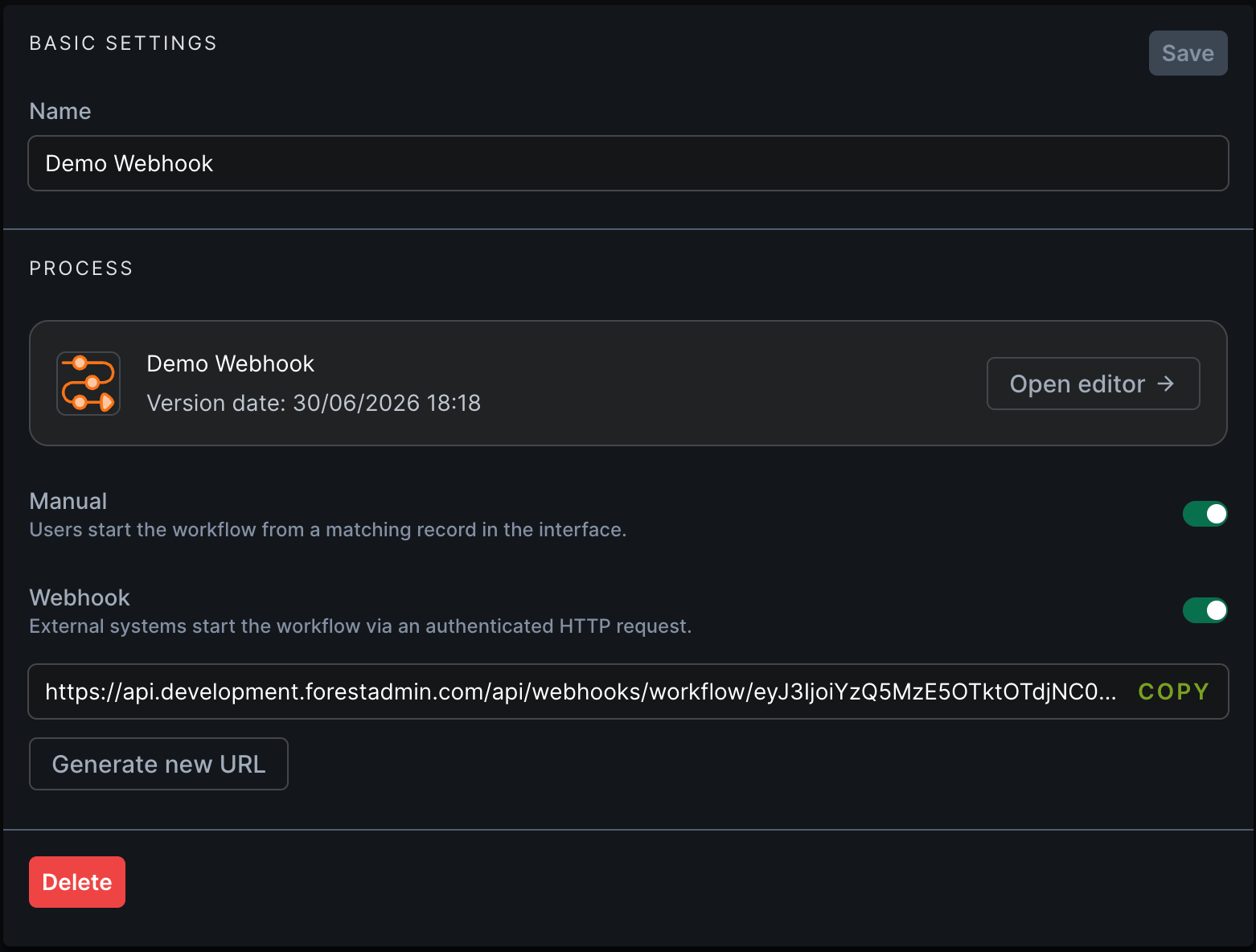
- Open the workflow settings page and go to the Process section.
- Toggle Webhook on.
- the endpoint URL is displayed inline with a copy button;
- the associated application token is selectable and manageable, with its expiry surfaced and a way to invalidate or regenerate it;
- the Start step panel shows a read-only summary of the active triggers.
Regenerating the URL
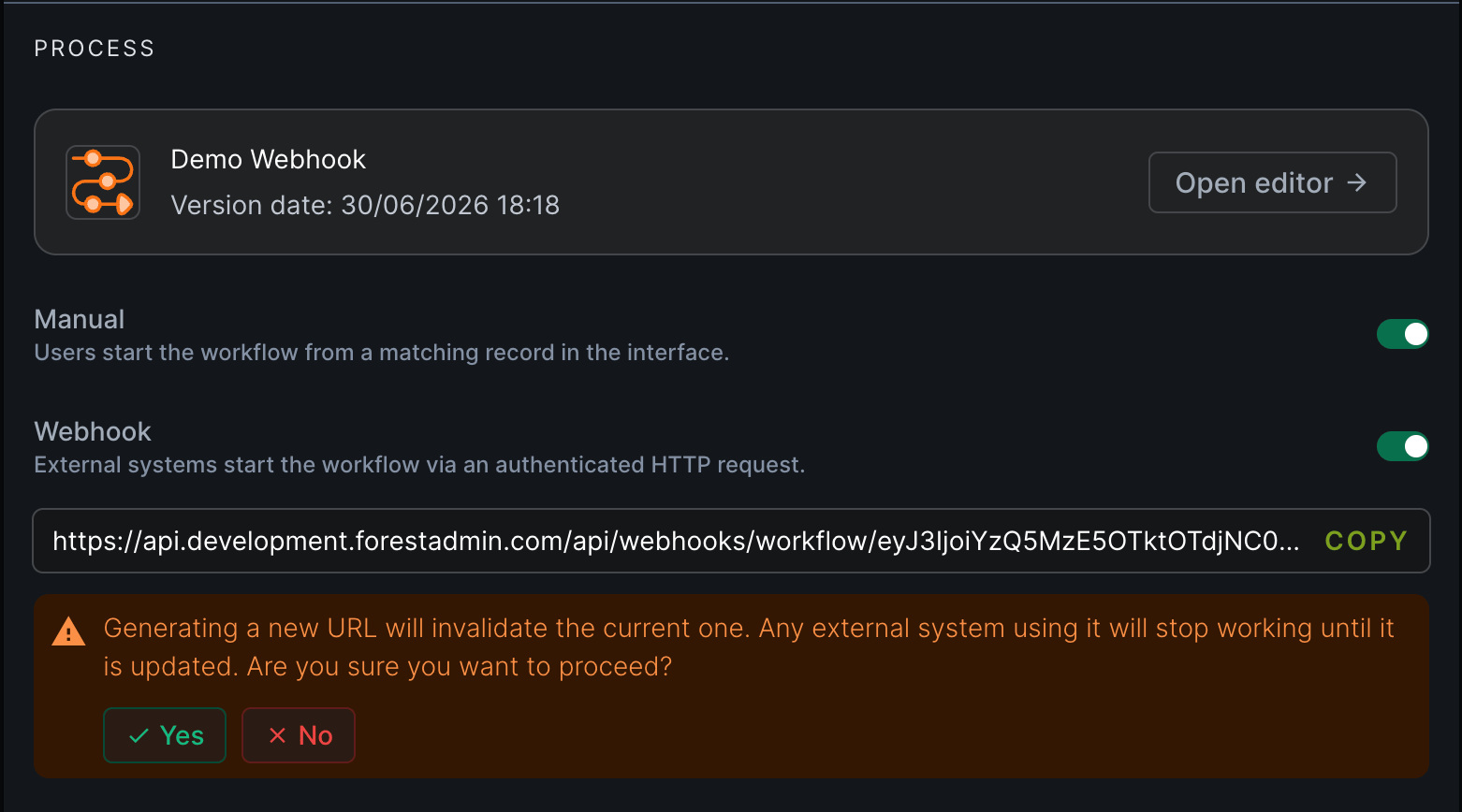
If a URL may have leaked, or you simply want to rotate it, generate a new one from the Generate new URL button below the current URL. When you confirm:- the URL is updated inline, and Copy URL now copies the new one;
- a confirmation toaster briefly appears.
Revoking access
You have three independent levers to stop a webhook, without necessarily touching the others:| Lever | Effect | Calls then return |
|---|---|---|
| Disable the Webhook toggle | Turns the trigger off. URL and token are unchanged. | 404 |
| Generate new URL | Invalidates the current URL. | 400 (old URL) |
| Invalidate / expire the token | Done by the token’s user, from account settings. | 401 |
Auditing
Every webhook-triggered run is recorded in the workflow run history and in your Activity Logs, attributed to the token’s user and marked as webhook-triggered so you can distinguish automated runs from manual ones.Learn more
Trigger via webhook (API)
The HTTP contract: body, response codes, idempotency, rate limits.
Workflows overview
Build and manage workflows in the no-code editor.
Executing workflows
How operators run workflows from the interface.
Roles & permissions
Control what a workflow run can access.