> ## Documentation Index
> Fetch the complete documentation index at: https://forest-docs-prd-616-workflow-webhook-trigger.mintlify.site/llms.txt
> Use this file to discover all available pages before exploring further.
# Workflow triggers
> Choose how a workflow starts, manually from the interface, or automatically from an external system via a webhook.
A workflow can be started in two independent ways. Both are configured in the **Process** section of the workflow settings page, beneath the version card. Each trigger type has its own row with an on/off toggle, and the two can be enabled independently.
* **Manual** — users start the workflow from a matching record in the interface (List View, Summary/Details, or a Workspace). This is the default. See [Executing workflows](/product/execute/workflows).
* **Webhook** — external systems start the workflow via an authenticated HTTP POST. **Disabled by default.**
Webhook triggers are available on **all environments**, with no production-only restriction.
## The webhook trigger
When enabled, the webhook lets any external system, an ETL job, a partner service, a CRON in your own infrastructure, start a workflow run on a specific record by calling a stable URL.
Two things are separated by design:
* **The URL** identifies everything *fixed* about the trigger: which workflow runs, and against which rendering. The only per-call input is the target record.
* **The token** carries authentication *and* the identity the run acts as. The run reads and writes data as the token's user, and the activity log attributes it to that user, so a webhook-triggered run can never do more than that user is allowed to.
For the full HTTP contract, request body, response codes, idempotency, and rate limits, see the [Trigger a workflow via webhook](/reference/api/endpoints/trigger-workflow-webhook) API reference.
## Enabling the webhook
1. Open the workflow settings page and go to the **Process** section.
2. Toggle **Webhook** on.
Once enabled:
* the endpoint **URL** is displayed inline with a **copy** button;
* the associated **application token** is selectable and manageable, with its **expiry** surfaced and a way to **invalidate or regenerate** it;
* the Start step panel shows a read-only summary of the active triggers.
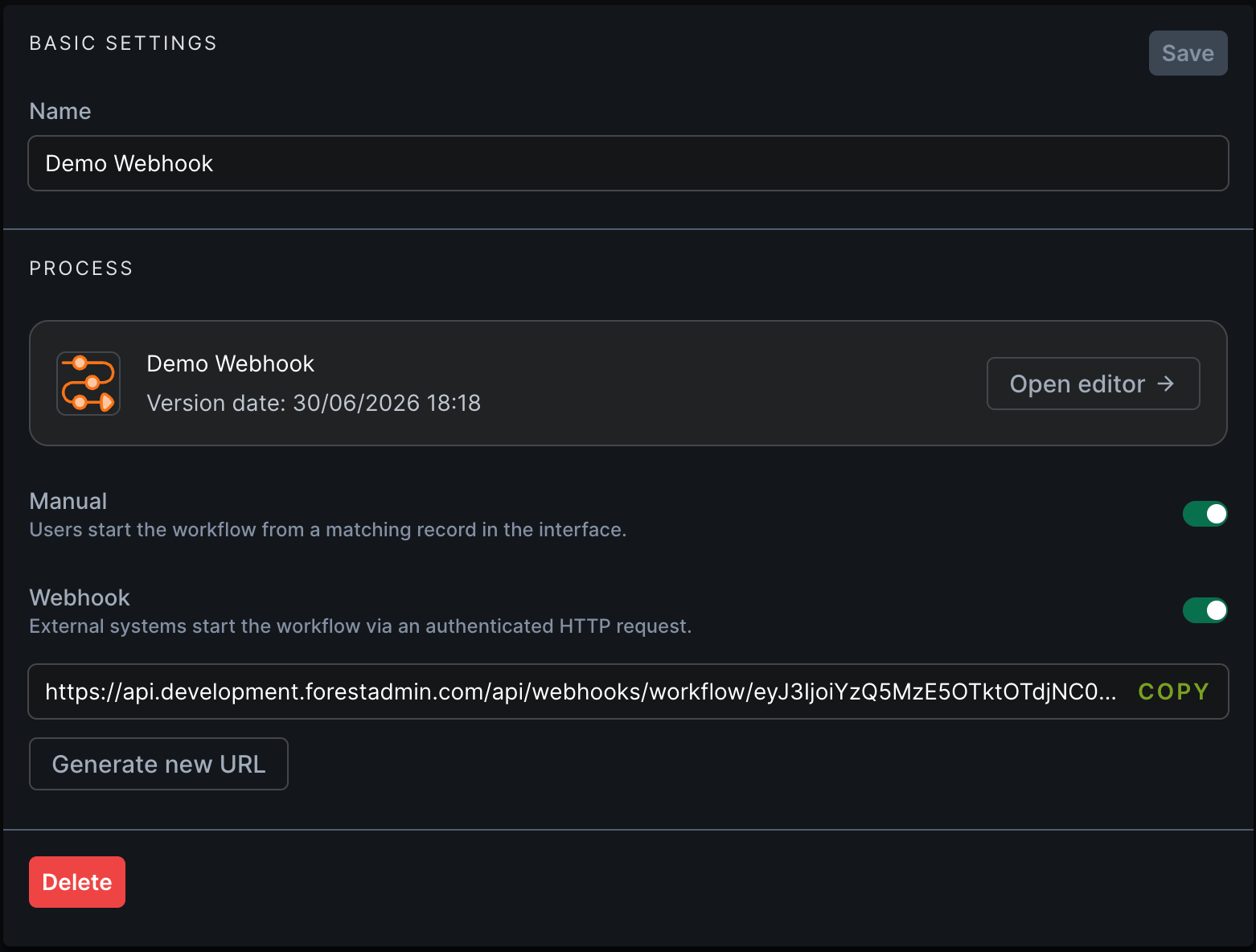 Copy the URL and use it from your external system with a valid application token. The workflow starts on the record you pass in the request body.
## Regenerating the URL
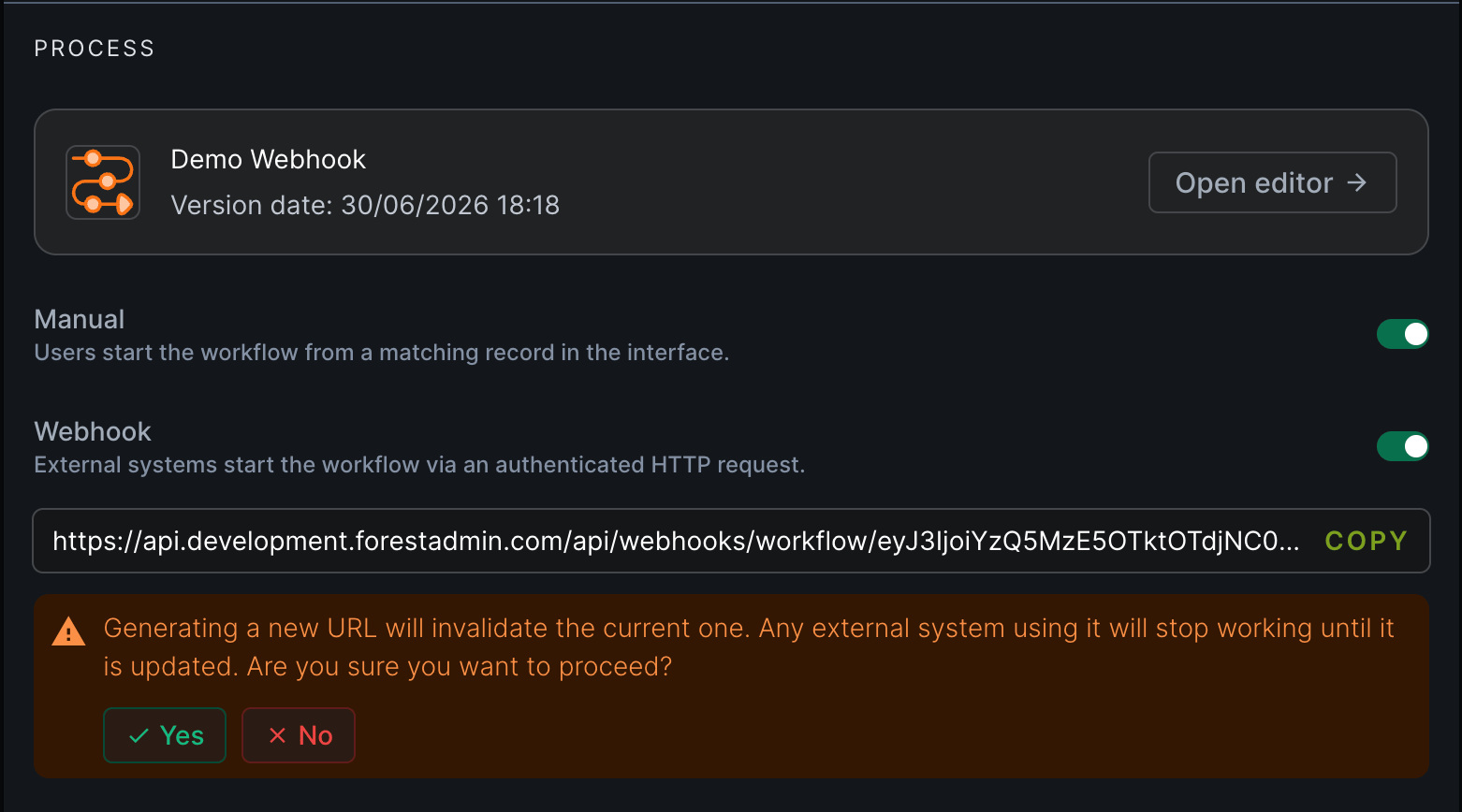
If a URL may have leaked, or you simply want to rotate it, generate a new one from the **Generate new URL** button below the current URL.
Generating a new URL **immediately invalidates the current one**. Any integration still calling the old URL will start failing until you update it with the new URL.
When you confirm:
* the URL is updated inline, and **Copy URL** now copies the new one;
* a confirmation toaster briefly appears.
Copy the URL and use it from your external system with a valid application token. The workflow starts on the record you pass in the request body.
## Regenerating the URL
If a URL may have leaked, or you simply want to rotate it, generate a new one from the **Generate new URL** button below the current URL.
Generating a new URL **immediately invalidates the current one**. Any integration still calling the old URL will start failing until you update it with the new URL.
When you confirm:
* the URL is updated inline, and **Copy URL** now copies the new one;
* a confirmation toaster briefly appears.
 ## Revoking access
You have three independent levers to stop a webhook, without necessarily touching the others:
| Lever | Effect | Calls then return |
| --------------------------------- | --------------------------------------------------- | ----------------- |
| **Disable the Webhook toggle** | Turns the trigger off. URL and token are unchanged. | `404` |
| **Generate new URL** | Invalidates the current URL. | `400` (old URL) |
| **Invalidate / expire the token** | Done by the token's user, from account settings. | `401` |
Turning the toggle back on re-enables the *same* URL and token — it is a pause, not a reset.
## Auditing
Every webhook-triggered run is recorded in the workflow run history and in your **Activity Logs**, attributed to the token's user and marked as **webhook-triggered** so you can distinguish automated runs from manual ones.
## Learn more
The HTTP contract: body, response codes, idempotency, rate limits.
Build and manage workflows in the no-code editor.
How operators run workflows from the interface.
Control what a workflow run can access.
## Revoking access
You have three independent levers to stop a webhook, without necessarily touching the others:
| Lever | Effect | Calls then return |
| --------------------------------- | --------------------------------------------------- | ----------------- |
| **Disable the Webhook toggle** | Turns the trigger off. URL and token are unchanged. | `404` |
| **Generate new URL** | Invalidates the current URL. | `400` (old URL) |
| **Invalidate / expire the token** | Done by the token's user, from account settings. | `401` |
Turning the toggle back on re-enables the *same* URL and token — it is a pause, not a reset.
## Auditing
Every webhook-triggered run is recorded in the workflow run history and in your **Activity Logs**, attributed to the token's user and marked as **webhook-triggered** so you can distinguish automated runs from manual ones.
## Learn more
The HTTP contract: body, response codes, idempotency, rate limits.
Build and manage workflows in the no-code editor.
How operators run workflows from the interface.
Control what a workflow run can access.